


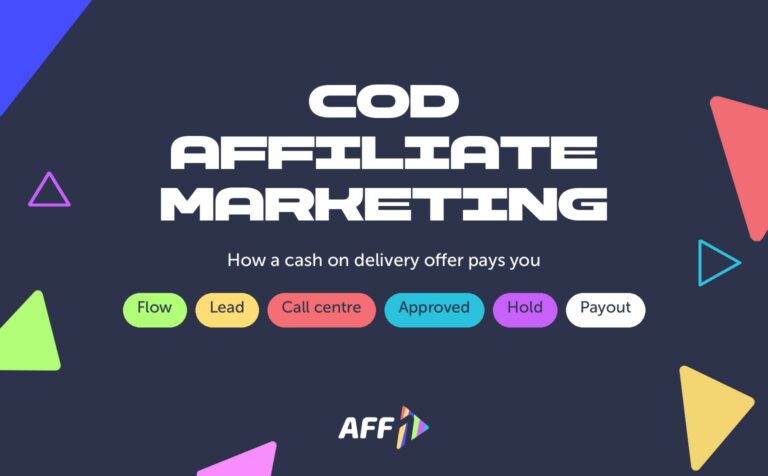
A COD lead status shows where a cash-on-delivery order is between the order form and your payout. A lead is created as new, the call centre confirms it (approved) or turns it down (cancelled or trash), and the payout for an approved lead sits on hold before you can withdraw it.
The names differ from network to network, and that is where most confusion comes from. This guide explains each status in plain words, shows how AFF1 uses them, and how to pass them to your tracker so your reports match the network.
How a COD lead moves from click to payout
In cash-on-delivery nutra the buyer does not pay online. The landing page collects a name and a phone number, and the real sale happens later, on the phone. That is why a COD lead goes through several stages:
- The order form is sent. The network receives the lead and gives it the first status: new (often called pending or in processing).
- The call centre calls the buyer. An operator checks the order, confirms the product, the price, the address and the delivery.
- The lead gets a final status. The order is confirmed (approved), refused or unreachable (cancelled), or rejected as invalid (trash).
- The payout goes through hold. For an approved lead, the payout is credited to your hold first and moves to the balance after the hold period.
- The parcel is delivered and paid. This is the buyout stage. It happens on the advertiser side, days or weeks after the call.
The status you see in statistics is the result of step 3. Your money depends on it, so it is worth knowing exactly what each one means.
See also: COD affiliate marketing: how cash on delivery offers work, from the offer terms to your first payout.
COD lead statuses at a glance
| Status | What it means | Who sets it | Paid? | Postback event in AFF1 |
|---|---|---|---|---|
| New (pending, processing) | The order form was sent; the call centre has not finished with the lead yet | Network, automatically | Not yet | lead_add |
| Approved (confirmed) | The operator confirmed the order with the buyer | Call centre | Yes, the payout of the target | lead_approve |
| Cancelled (rejected, declined) | The buyer refused, could not be reached, or the order cannot be delivered | Call centre | No | lead_cancel |
| Trash | The lead is invalid: wrong or fake data, a duplicate, a test order | Network or call centre | No | lead_cancel with substatus trashed |
| Hold | Not a lead status in AFF1, but a period: the payout of an approved lead waits before it reaches your balance | Set per offer target | Already earned, not yet withdrawable | — |
Source for the AFF1 column: AFF1 publisher cabinet and API documentation, October 2026.
New, pending, processing: the lead is waiting for a call
Every lead starts here. A new lead means the network accepted the order form and passed it to the call centre. Nothing is decided yet.
How long a lead stays new depends on the call centre working hours and on how quickly the buyer answers. The AFF1 offer page shows the call centre working hours for every target, so check them before you launch: leads that come in at night wait until the morning shift.
Many new leads at the end of the day are normal. Judge an offer by the leads that already have a final status, not by the share of new ones.
Approved: the order is confirmed
An approved lead is an order that the call centre confirmed with the buyer. This is the event most COD nutra offers pay for: on AFF1 the targets are literally called “Approved order” plus the country code.
The share of approved leads among all leads with a final status is your approval rate. It depends on the GEO, the offer, the price on the landing page, the quality of traffic and the time of day you buy traffic.
An approved lead is not yet a delivered parcel. Delivery and payment for the parcel — the buyout — come later and are the advertiser’s part of the chain.
Cancelled or rejected: the buyer did not confirm
A cancelled lead is a real person who did not end up with a confirmed order. The usual reasons are:
- the buyer changed their mind or did not expect the price from the call;
- the buyer did not answer after several attempts;
- the address is outside the delivery area;
- the buyer wanted a different product.
A high share of cancelled leads usually points to the traffic or to the landing page, not to the call centre. Check that the price and the product on your creatives and pre-landing match the landing page, and that you target the GEO of the offer only.
Trash: the lead is not valid
Trash is a lead that cannot become an order at all. On AFF1 a lead goes to trash when the data is invalid, when it is a duplicate, or when it is a test order. In the API, such a lead has the status trashed, and in the postback it comes as lead_cancel with the substatus trashed.
Typical sources of trash:
- fake or mistyped phone numbers, often from incentivised or bot traffic;
- the same buyer sending the form several times;
- test orders placed by the affiliate.
For orders sent through the API, AFF1 checks every order for a duplicate by three parameters: geo target, phone number and a 30-minute window. A second order with the same phone for the same geo target within 30 minutes is rejected as a duplicate.
Do not place test orders on a live offer to “check the funnel”. They go to trash, spoil your statistics and the call centre still spends time on them. If you need to test the whole chain, agree on it with your personal manager.
Hold: the payout is earned but not withdrawable yet
The word hold is used in two ways, and mixing them up causes most arguments with networks:
- Some networks call any unprocessed lead “on hold”. In that meaning, hold is the same as new or pending.
- On AFF1, hold is a period after approval. When the lead is approved, the payout is credited to your hold. After the hold period of the target, it moves to your balance and you can order a payout.
The hold period is set per target and is shown on the offer page and in the offer list next to the payout — for example, a few hours. In the cabinet, Finance → Hold details shows which leads are in hold right now.
How lead statuses reach your tracker
If you run traffic through Keitaro, Binom or another tracker, the network sends every status change to the tracker with a server-to-server postback. On AFF1 you choose which events to send:
| Event in the postback window | Token value {type} | What to map it to in the tracker |
|---|---|---|
| Creating lead | lead_add | Lead / pending conversion |
| Confirming lead | lead_approve | Approved / sale |
| Cancelling lead | lead_cancel | Rejected (check {substatus} = trashed to separate trash) |
Pass the payout with {payout} (offer currency) or {payout_usd}, so the tracker calculates revenue only from approved leads. The full setup with all tokens is in the help article Postback: send leads and statuses to your tracker.
If you send orders through the API instead of a landing page, you can also ask for statuses directly: the lead.info method returns new, approved, cancelled or trashed for each order. See API integration: manual mode.
What to check when statuses look wrong
- Too many new leads for days. Compare the time of your traffic with the call centre working hours of the target.
- Many cancelled leads. Check that the creative, the pre-landing and the landing page show the same product and price, and that the traffic is from the offer GEO.
- Many trash leads. Look at sources with suspiciously high conversion rates and at repeated phone numbers in Statistics → Leads.
- Statuses in the tracker do not match the network. Check that the postback sends all three events and that
lead_cancelis not mapped to “approved”. - Approved leads but no money on the balance. Look at Finance → Hold details: the payout may still be in hold.
FAQ
Is trash the same as a rejected lead?
No. A rejected or cancelled lead is a real buyer who did not confirm the order, for example because they refused or did not answer. Trash is a lead that could never become an order: invalid data, a duplicate or a test. On AFF1 both arrive in the postback as lead_cancel, and trash has the substatus trashed.
Do I get paid for new leads?
No. On COD nutra offers you are paid for the target of the offer, which on AFF1 is the approved order. A new lead is still waiting for the call centre. It becomes paid only after the operator confirms the order, and then the payout first goes through the hold period of the target.
How long is the hold on AFF1?
The hold period is set for each offer target and is shown next to the payout on the offer page and in the offer list. During hold the payout is already credited to you but cannot be withdrawn. After the period ends, it moves to the balance automatically, and you can order a payout in Finance.
Why does my tracker show more leads than the network?
Usually because the tracker gets conversions from somewhere else — for example, a pixel on the thank-you page counts every form submission, including duplicates and invalid data that the network later sends to trash. Or the postback does not send all events. Use the postback as the only source of conversions and make sure it sends creating, confirming and cancelling leads, with the click ID passed in the flow link.
Start with statuses you can trust
Clear statuses and a postback set up from day one save you from guessing whether a campaign is profitable. AFF1 is a direct advertiser and an affiliate network in Nutra and White Hat with its own call centres, so lead statuses come straight from the team that processes the orders.
Register in AFF1 to see offers, call centre hours and hold periods for every GEO, or ask your questions in our Telegram channel t.me/aff1com.


Comments
No comments yet. Ask a question about the article and the AFF1 team will answer. Comments appear after moderation.